One file, one window
Every markd file.md opens its own focused window. No tabs and no background daemon: built for tiling window managers and terminal workflows.
Type $ markd README.md and a clean native window opens.
brew install nodesman/markd/markd
macOS on Apple Silicon. Upgrade with brew update && brew upgrade markd
npm install -g @nodesman/markd is in development.
Windows builds are in development. Markd runs on macOS (Apple Silicon) today.
Ubuntu / Debian and other Linux builds are in development. Markd runs on macOS (Apple Silicon) today.
Built for terminal workflows
Every markd file.md opens its own focused window. No tabs and no background daemon: built for tiling window managers and terminal workflows.
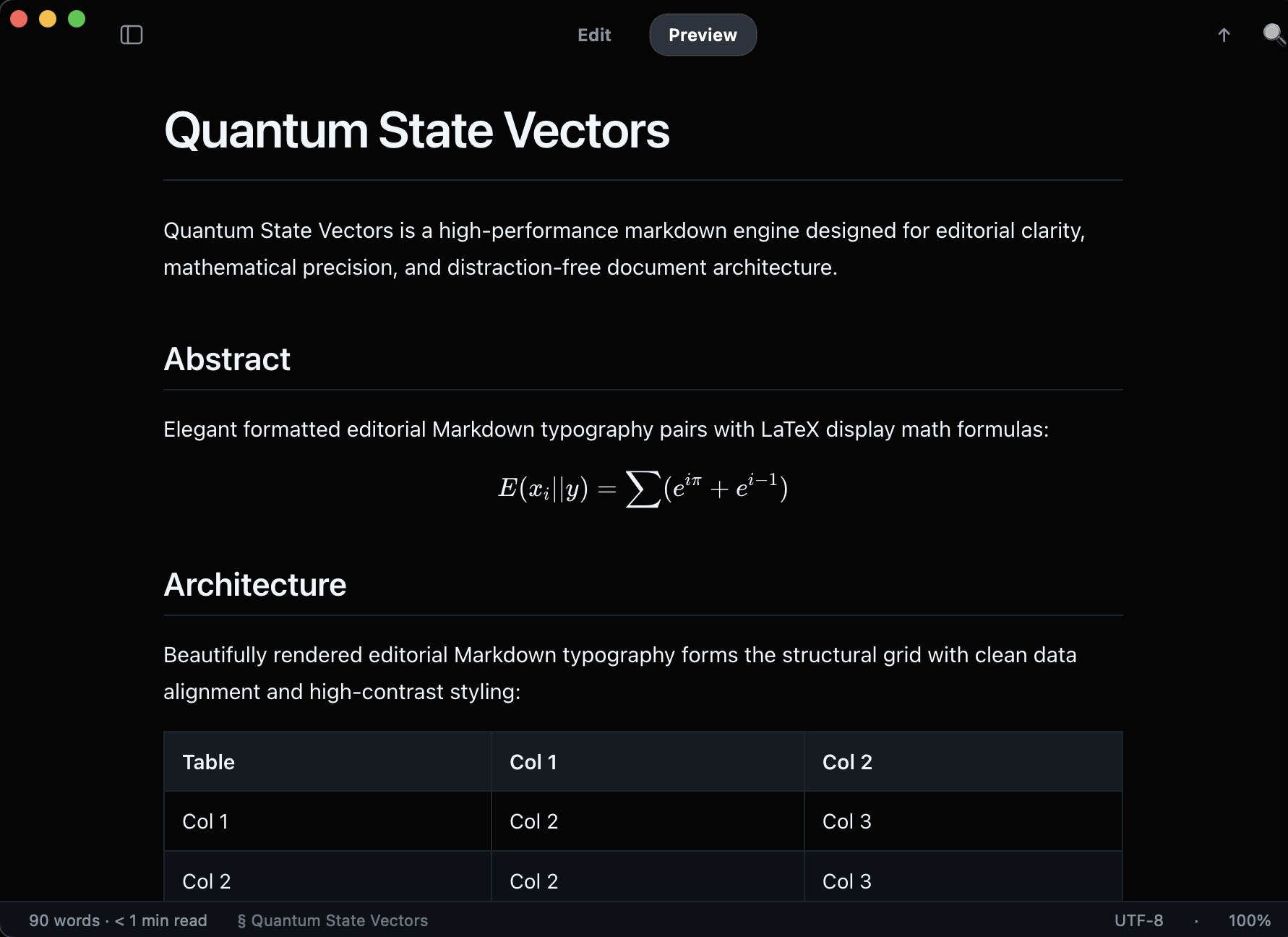
Rendered typography with KaTeX math, Mermaid diagrams and copy-ready code cards. Switch to the raw source with a line-number gutter and back.
Keep Markd beside Neovim, Helix or Emacs. When the file changes on disk, Markd reloads it and keeps your scroll position and search.
Copy as rich HTML places styled HTML and clean plain text on the clipboard, without UI buttons, so tables, code and equations paste cleanly into mail and docs.